Check in at the kiosk
Step 1 of 6
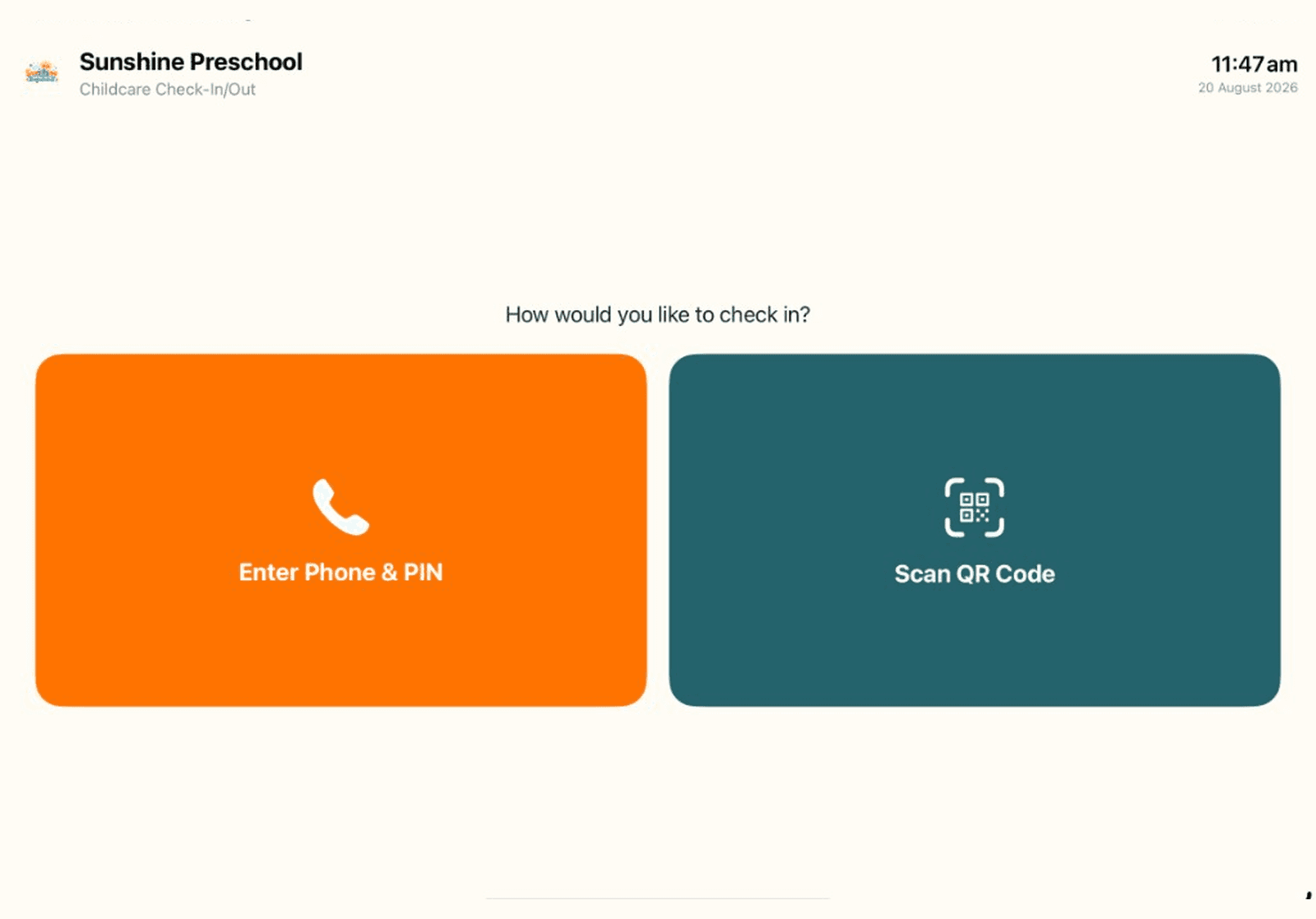

Tap "Enter Phone & PIN"
At the kiosk, tap the big orange button.
These pictures show our demo school — your kiosk will show your school's own name and logo.
 Check-In Guide
Step 1 of 6
At the kiosk, tap the big orange button.
These pictures show our demo school — your kiosk will show your school's own name and logo.