60-day money-back guarantee
Cancel within 60 days of your first charge, and your money comes back automatically.
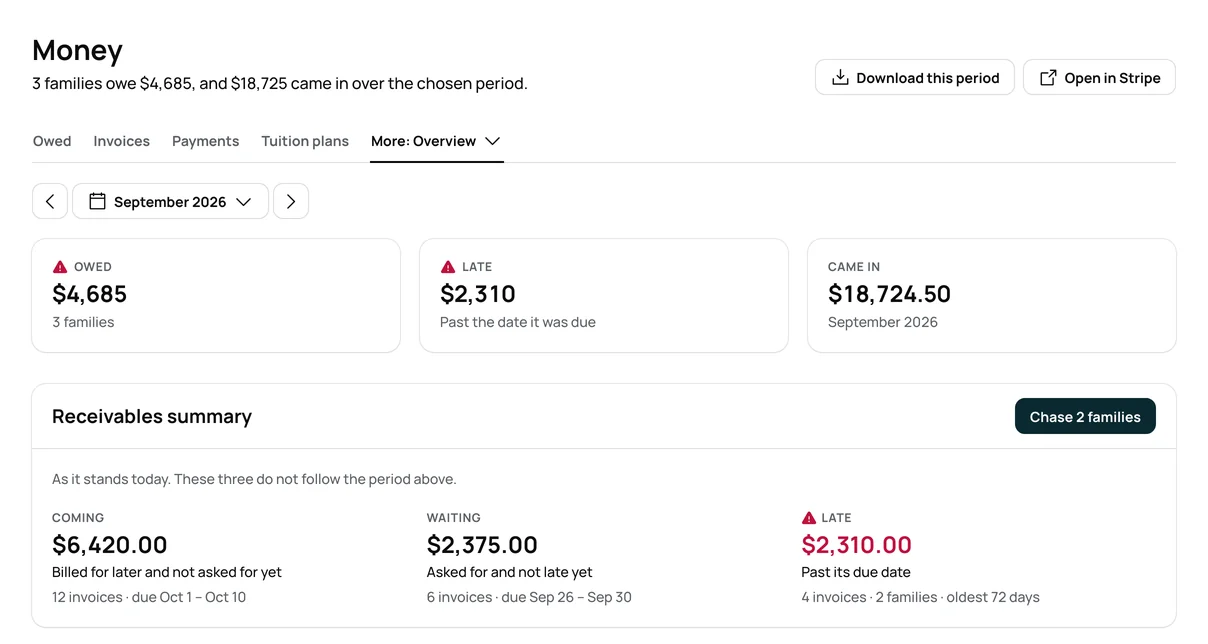
How the guarantee works →Tuition bills on your charge day, and families on autopay pay without a nudge. You see what came in and who still owes.
Book a preschool demo

“Thank you for ALL of your help in making our first few weeks successful with Bloomily.”Carly Middlebrooks, Director, The Aronoff Preschool at the Merage JCC




Payments carry a processing fee, and you choose who covers it: your families, or you.
Each payout shows what came in, the fees, and what reached your bank.
A spreadsheet, another system’s export, a PDF or a photo of a paper list. AI help does the reading.
Name your rooms and set tuition, drop in your list, then invite your families.
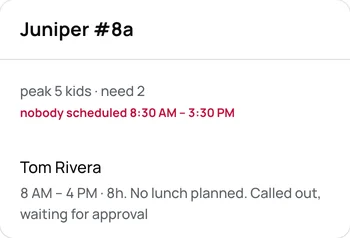
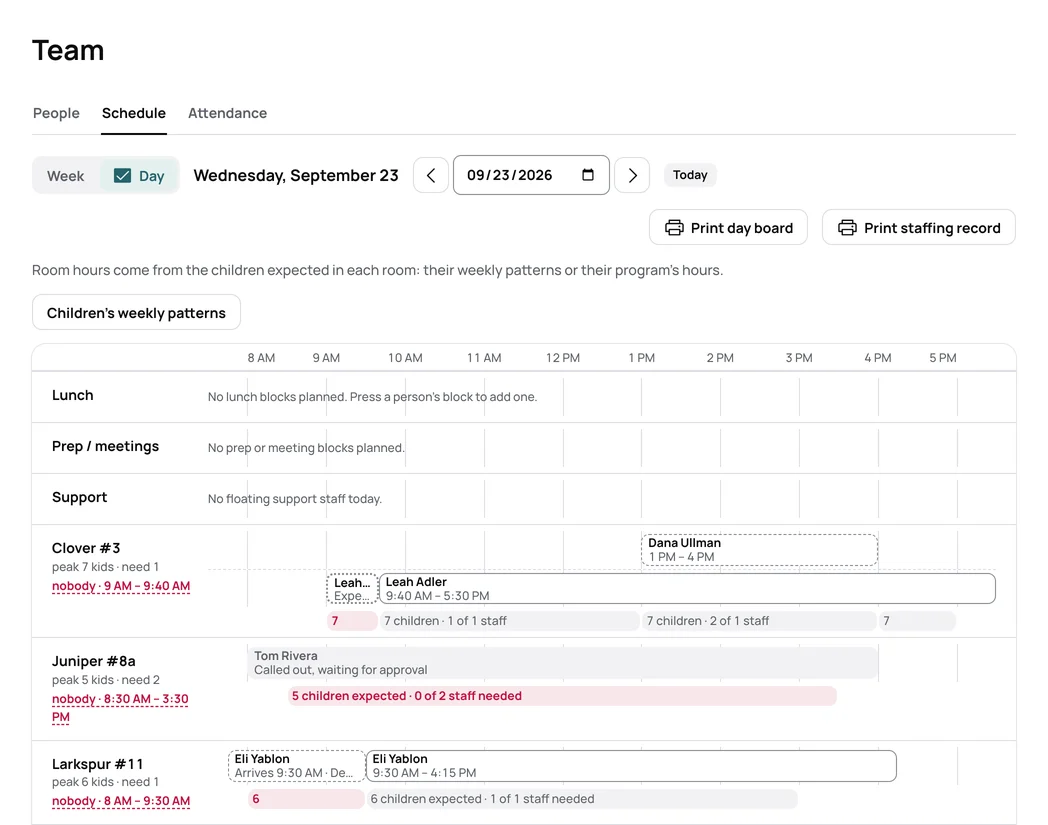
At 7:30 AM you see who opens, who called out and which room still needs a teacher. Staff schedules turn on when you want them.
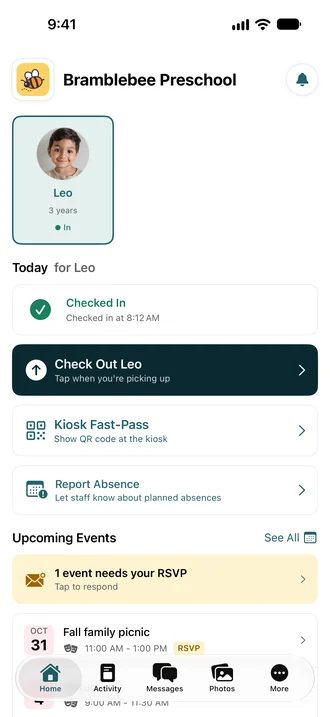
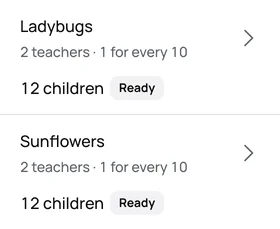
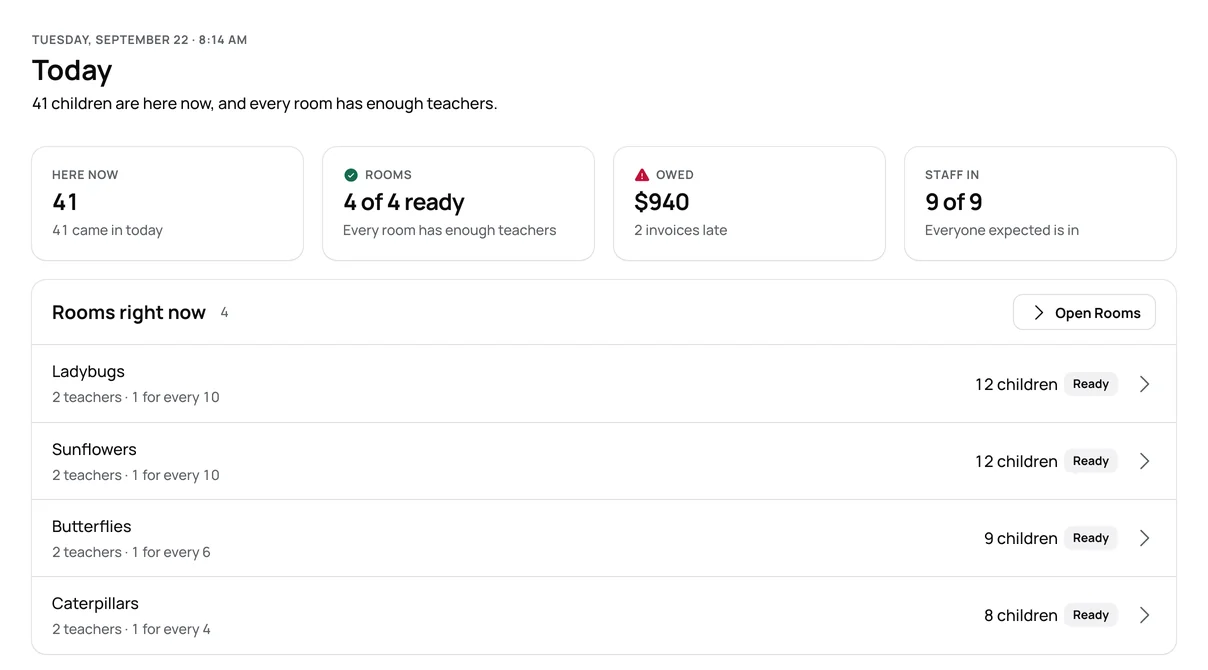
By 8:30 AM families have checked in with the app or a PIN at the kiosk. Each room shows who is in it and whether it has enough teachers.
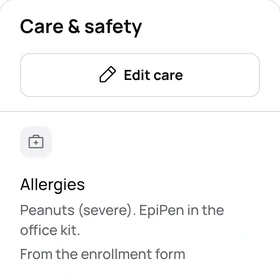
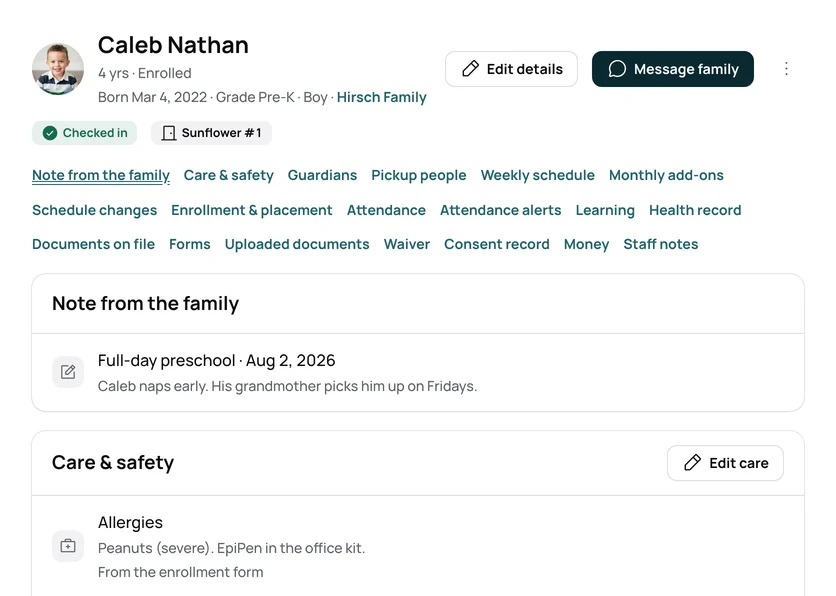
At 10 AM, before snack, Caleb’s record shows his peanut allergy. His guardians, pickups and forms are on the same record.
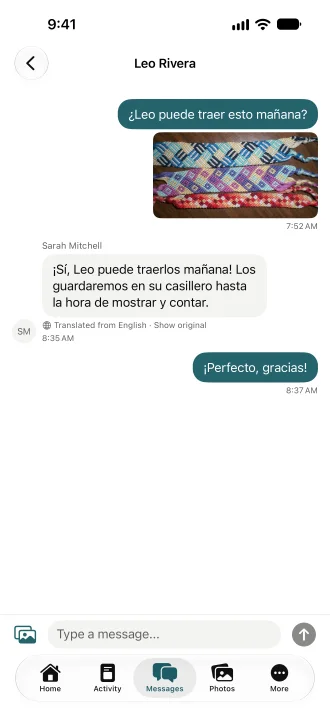
At 12:40 PM a teacher answers a parent, and each of you reads it in your own language. One note can go to a whole room.
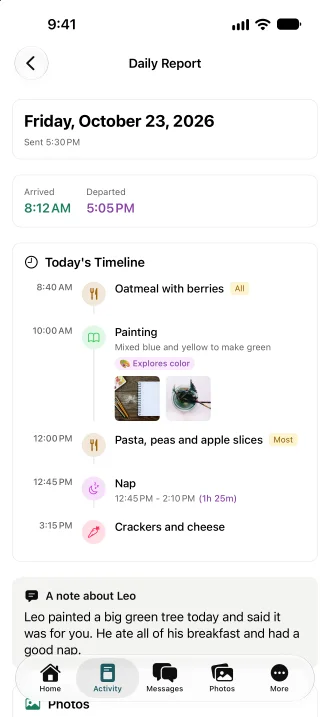
At 3:30 PM teachers finish the day’s report and add photos. Families get it in the app and by email.
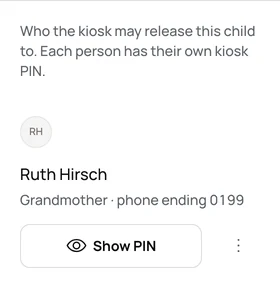
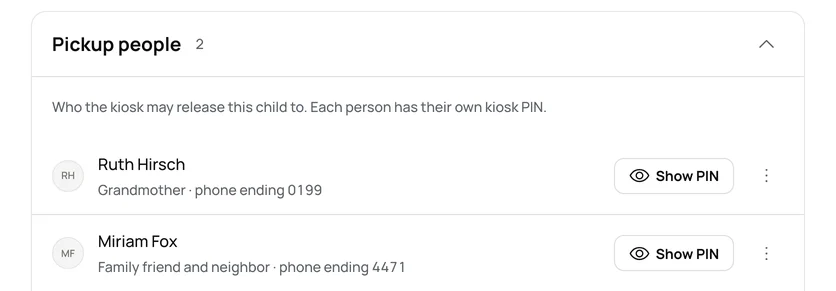
At 5:15 PM Caleb’s grandmother picks him up with her own kiosk PIN. You see every adult who may take him home.
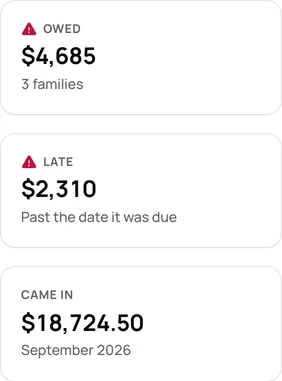
By 6 PM you see what came in and who still owes. Tuition bills on your charge day, and families on autopay pay without a nudge.
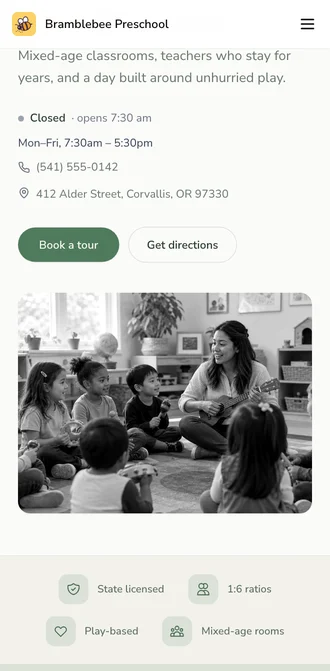
At 9 PM a new family finds your page on their phone. It has your hours, your number and Book a tour.
A spreadsheet, another system’s export, a PDF or a photo of a paper list.
Children, families and pickup people. Nothing saves until you approve it.
When you are ready, send each family one invite. Their child is already on their account.
Keep your old system running beside Bloomily as long as you like.
Cancel within 60 days of your first charge, and your money comes back automatically.
How the guarantee works →AI help is built in, plus full support from our team. Turn it on in Settings, and it answers from your own records.
How AI help works →Encrypted on the way and at rest. Each program’s records are walled off. We never hold card numbers.
Trust and security →No. It is one price per location, however many children you have. Parents, guardians and staff are unlimited. Payments carry a processing fee, and you choose who covers it: your families, or you.
About an afternoon. Set up your program and prices, then drop in the list you have. AI help reads it.
You send each family one invite to the Bloomily app. Their child is already on their account.
AI help is built in, plus full support from our team.
No. It is month to month, with no lock-in.
Thirty minutes on your move: what your list brings over and what your first day looks like.
Book a preschool demo