Stay connected to your child’s day.
See photos, daily reports, and messages from your child’s program. Check in from your phone, report absences, and pay bills from the app.


Available for iPhone, iPad, and Android
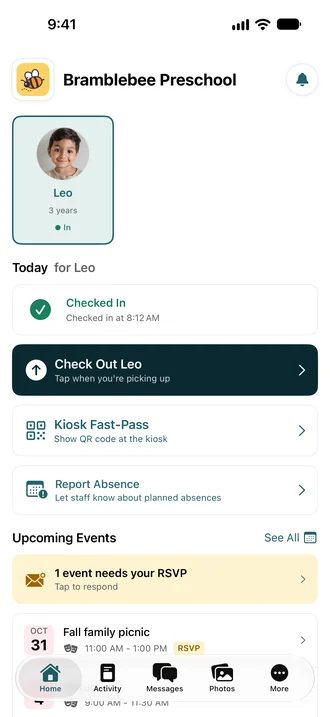
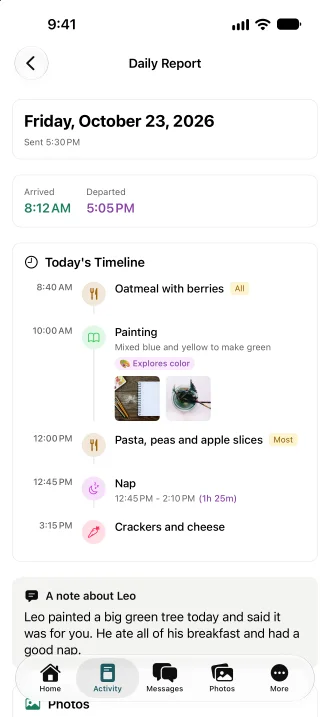
What families see in the Bloomily app, with sample records
Peace of mind, right in your pocket.
The Bloomily app keeps you connected to your child’s program with photos, messages, and daily reports.
Photos & Updates
See photos and videos shared by your child’s teachers. Save or share each one from your gallery.
Daily Reports
Detailed updates on meals, naps, diaper changes, and activities. Never wonder "what did they eat today?" again.
App Check-In
Check your child in from the app when you arrive.
Notifications
Get notified for daily reports, messages, and announcements, plus check-in updates on Standard plans.
Report Absences
Quickly let the program know if your child won't be attending. Add notes for staff visibility.
Multiple Children
Manage all your children from one account. Switch between their profiles quickly.
What families see in the Bloomily app, with sample records
More than just an app.
Order meals, book conferences, track progress, and manage your child’s health records, all from your parent portal.
Meal Ordering
Browse daily menus, order meals for your child, and specify dietary preferences. Order ahead for the whole week.
Conference Booking
View available parent-teacher conference slots and book times that work for you. Reschedule with a tap.
Progress Reports
View your child's developmental assessments, milestone achievements, and progress over time.
Health Records
Track immunization status, view medication authorizations, and manage your child's health information.
Manage payments from anywhere.
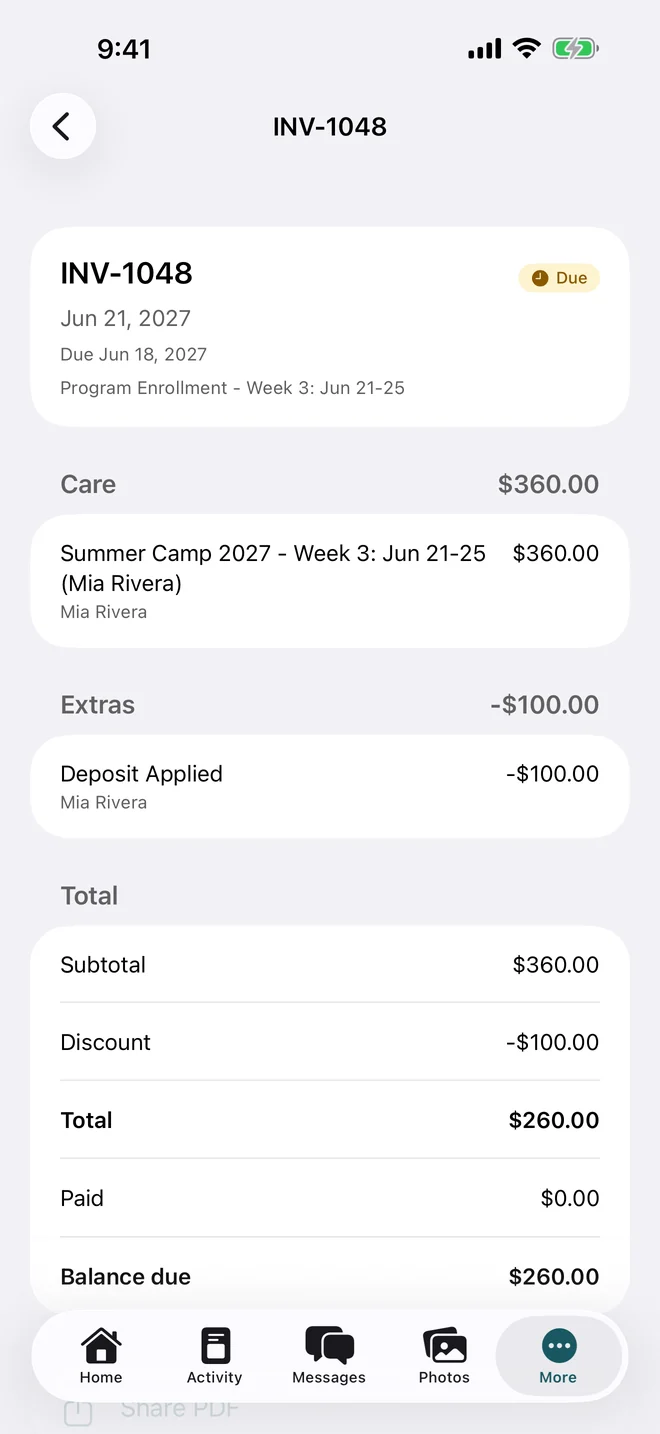
View invoices, make payments, and set up autopay right from the app. No more checks, no more paper invoices.
View Invoices
See every invoice, every payment you have made, and what is still owed.
Make Payments
Pay with credit card or bank transfer. Securely save payment methods for faster checkout.
Set Up Autopay
Never miss a payment. Set up automatic payments and get notified before each charge.
What families see in the Bloomily app, with sample records
Health records & developmental progress
Stay informed about your child’s health status and developmental milestones.
Health Records
- View immunization status and upcoming doses
- Track medication authorizations
- See allergy and dietary restriction alerts
- Access emergency contact information
- Update health information as needed
Progress Reports
- View developmental assessments by domain
- Track milestone achievements over time
- Read teacher observations and notes
- See skill progress charts
- Download shareable progress reports
How to get Bloomily
You get Bloomily through your child’s program.
Get Invited
Your child’s program sends you an invitation email or a registration link.
Download the App
Install Bloomily from the App Store or Google Play on your phone or tablet.
Stay Connected
See photos, messages, and each day's report from your child's program.
Your privacy matters.
We take your family’s privacy seriously. Your data is encrypted, securely stored, and never sold to third parties. Only you and authorized staff at your child’s program can access your child’s information.
Ready to stay connected?
Ask your child’s program about Bloomily today.