Spend less time on paperwork, more time with the children.
Log activities, capture photos, and send daily reports to parents, all from one app.


On iPhone, iPad and Android phones and tablets
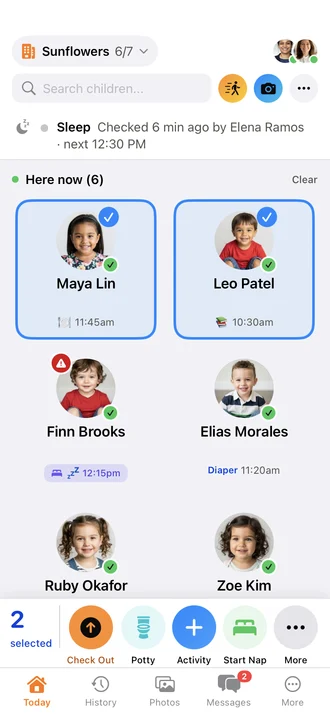
What teachers see in the Bloomily Center app, with sample records
Tools built for busy teachers.
Bloomily Center keeps your classroom day in one app, so you can focus on the children.
Activity Logging
Log meals, naps, diaper changes, and activities with a tap. Bulk logging for multiple children saves time.
QR Check-In
Scan parent QR codes for instant check-in/check-out. Digital signatures ensure accountability.
Photo & Video
Capture moments with multi-shot camera mode and tag children. With Photo approval on, a reviewer releases them.
Kiosk Mode
Transform any iPad into a self-service check-in station for your entrance.
Daily Reports
Logged meals, naps, diapers, and notes build each child’s daily report for families.
Nap Tracking
Start and end naps with real-time duration tracking. See all active naps at a glance.
Keep children safe. Stay compliant.
Handle medications, document incidents, and conduct health screenings, all from the staff app with proper documentation trails.
Medication Administration
Administer medications with required witness verification. Track dosages, times, and any refusals or side effects.
Incident Documentation
Document injuries, behavioral incidents, and allergic reactions with photo evidence.
Health Screenings
Conduct daily health screenings with customizable checklists. Temperature tracking, symptom documentation, and exclusion management.
Witness Signatures
Medication administration requires a witness. Both staff members sign digitally for compliance and accountability.
Know who’s in your classroom.
Quick check-in and check-out right from your iPad. See your real-time roster, expected arrivals, and add notes as needed.
Quick Check-In/Out
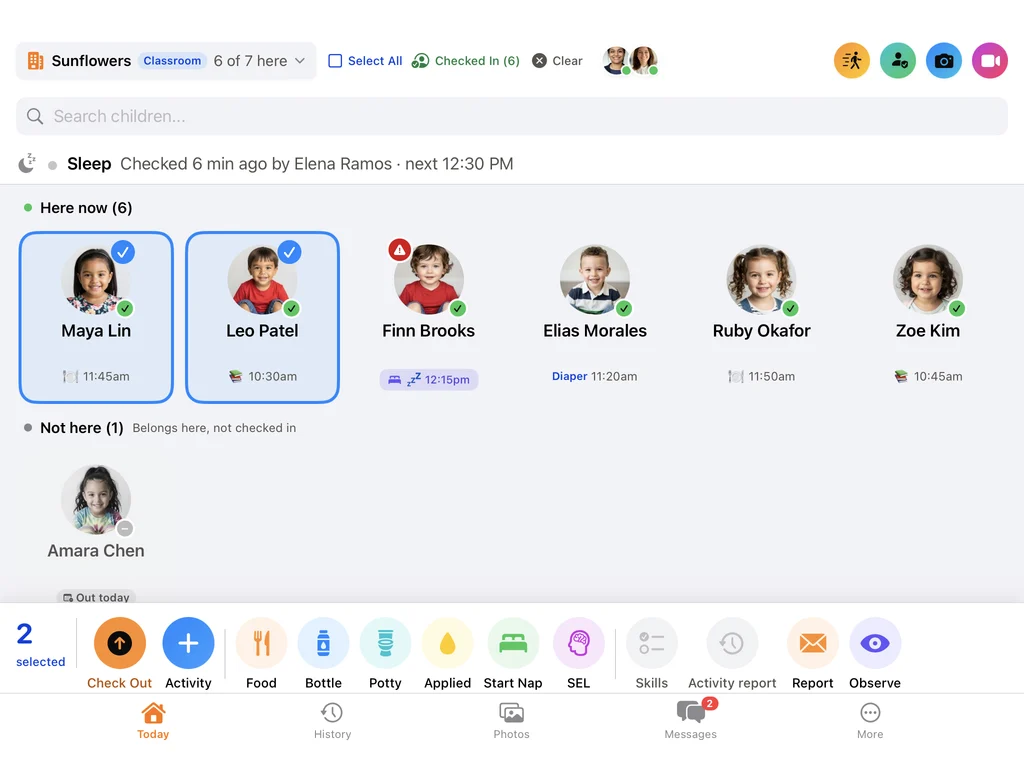
Check children in or out with a single tap. See who's expected, who's arrived, and who's been picked up.
Real-Time Roster
View your classroom roster in real-time. Know exactly who's in your care at any moment.
Attendance Notes
Add notes to attendance records: late arrivals, early pickups, or special pickup authorizations.
What teachers see on Bloomily Center for iPad, with sample records
A typical day with Bloomily Center
- Check children in
- Conduct health screenings
- Log meals & activities
- Track nap times
- Build daily reports
- Check children out
- Send daily reports
- Document incidents
How to get Bloomily Center
You get Bloomily Center through your program.
Get Invited
Your program sends you an invitation to join the team.
Download the App
Install Bloomily Center from the App Store or Google Play on your tablet or phone.
Start Logging
Log activities, capture photos, and keep parents informed throughout the day.
Built with privacy in mind.
Children’s data is encrypted and securely stored. Access is limited to authorized staff members within your organization. We never sell data to third parties.
Ready to start logging?
Ask your program about Bloomily.