Every fee on the page.
Cancel within 60 days of your first charge, and your money comes back automatically.
How the guarantee works →Families check in at the kiosk with a PIN or a QR code, or staff tap them in. The roster and ratios update as children arrive.
Book a demo
“Thank you for ALL of your help in making our first few weeks successful with Bloomily.”Carly Middlebrooks, Director, The Aronoff Preschool at the Merage JCC



A tablet by the door. Families type the last 4 digits of their phone, then a PIN.
Each adult who may pick up can have their own PIN.
The app shows a code. The kiosk reads it.
Teachers check a child in from the classroom.
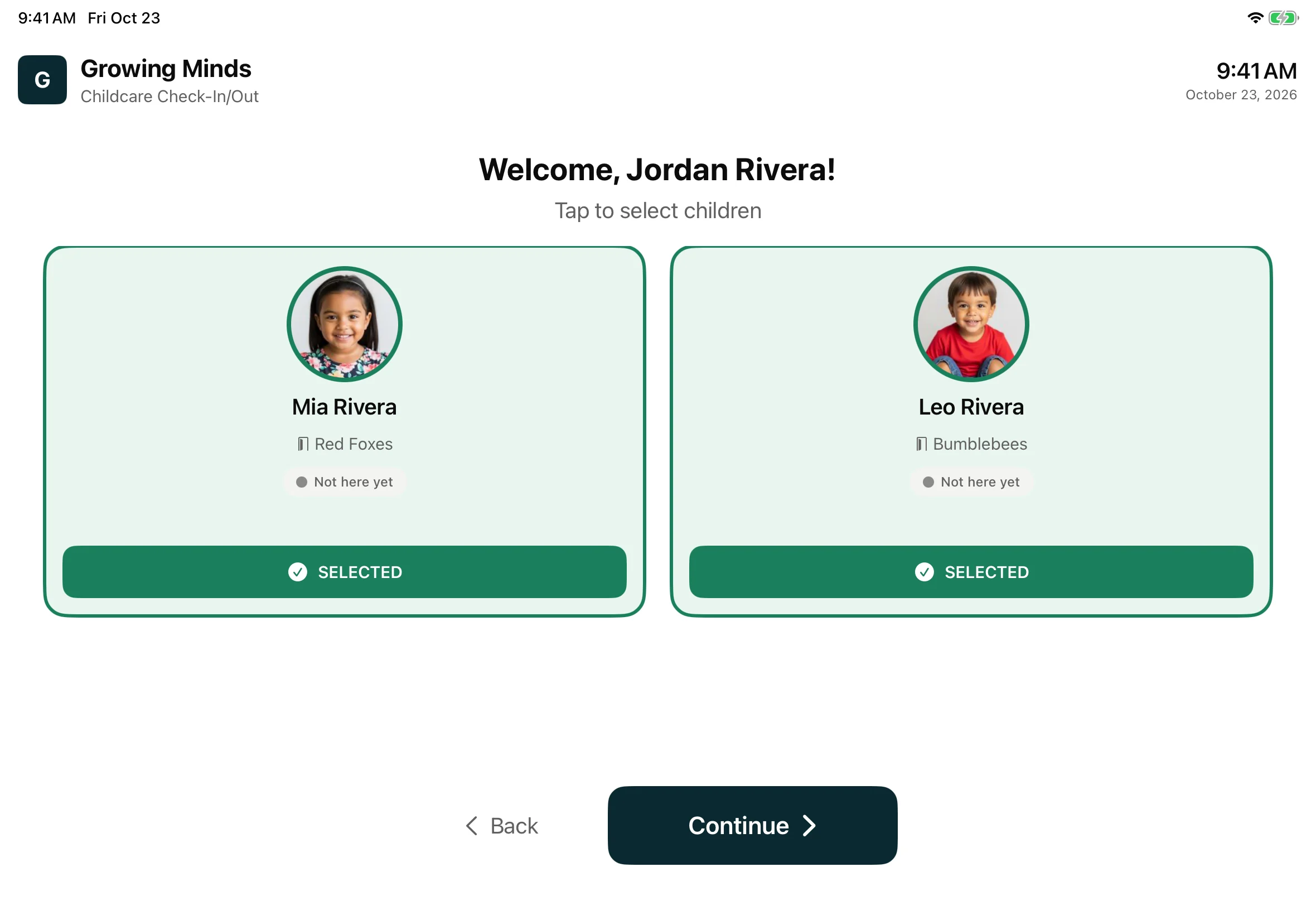
Turn app check-in on or off in Settings. Staff can always check a child in by hand.
Turn on late pickups and set your fee. Each late pickup then waits on Today for your decision.
Teachers write the day and add photos. Families get it by email and in the app.
Tuition bills on your charge day. Families on autopay pay without a nudge.
Families see the check-in time in the parent app.
Three things directors ask before they start, answered where you can read them.
Cancel within 60 days of your first charge, and your money comes back automatically.
How the guarantee works →AI help is built in, plus full support from our team. Turn it on in Settings, and it answers from your own records.
How AI help works →Encrypted on the way and at rest. Each program’s records are walled off. We never hold card numbers.
Trust and security →Set up in an afternoon.