Every fee on the page.
Cancel within 60 days of your first charge, and your money comes back automatically.
How the guarantee works →AI help is built into the office screens. Ask about attendance, bills or forms, and get the answer from your records.
Book a demo
AI help, called Ask, is a question box in Bloomily’s office screens. Ask in plain words, like who has not paid this month. It answers from the records your role can open, and shows what it looked at. When you ask it to do something, it shows a card first. Nothing reaches a family until you confirm. It works in a web browser, not in the phone apps.
On any office screen, press ⌘K, or Ctrl+K on Windows. Type a question, or pick one Ask offers.
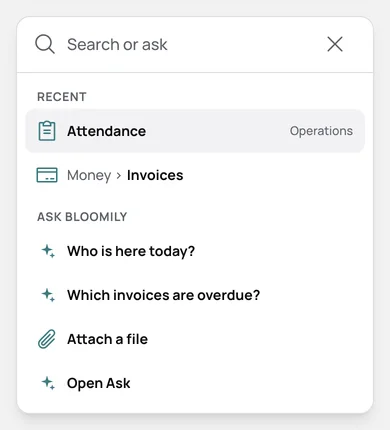
Ask reads the month’s bills and lists who still owes. It shows what it looked at, so you can check.
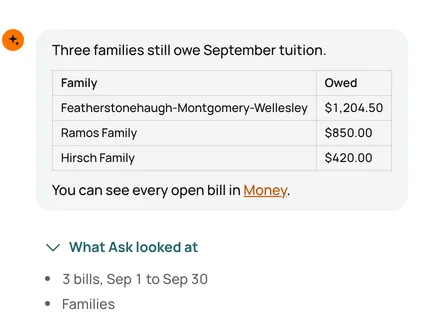
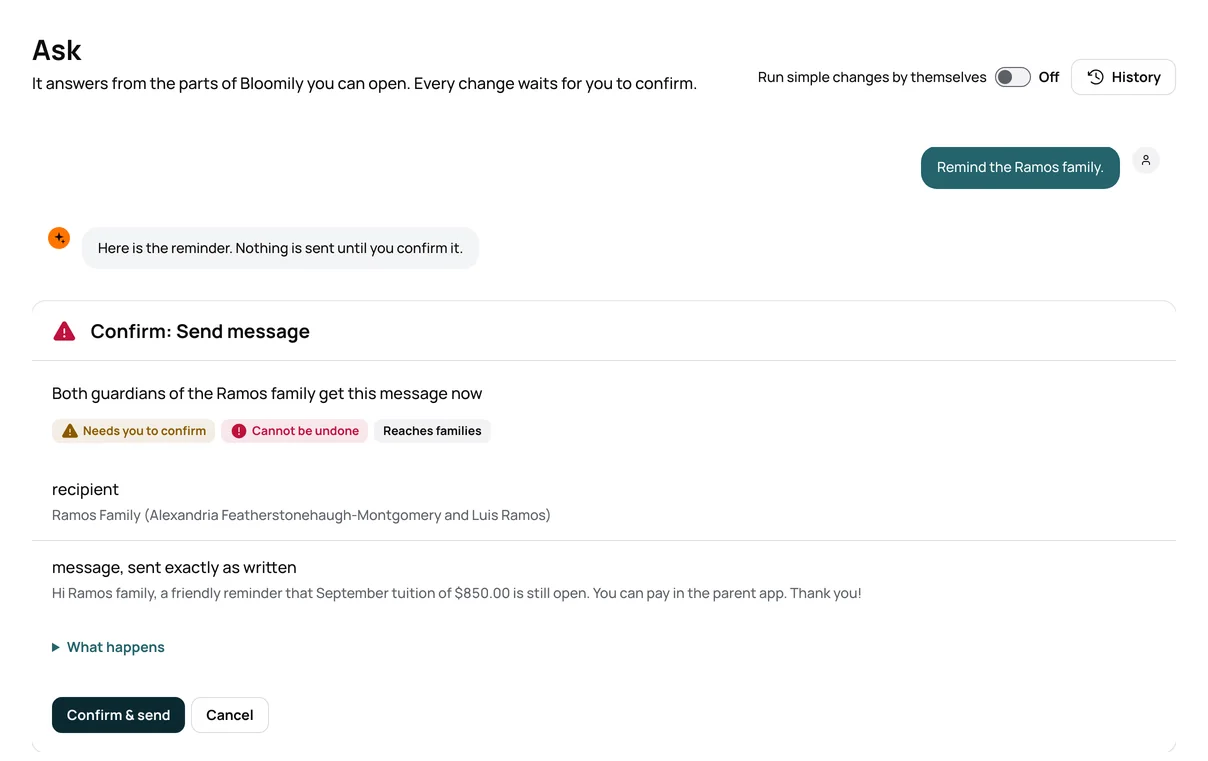
Ask it to remind a family, and it writes the message. It shows who gets it, and waits for Confirm & send.
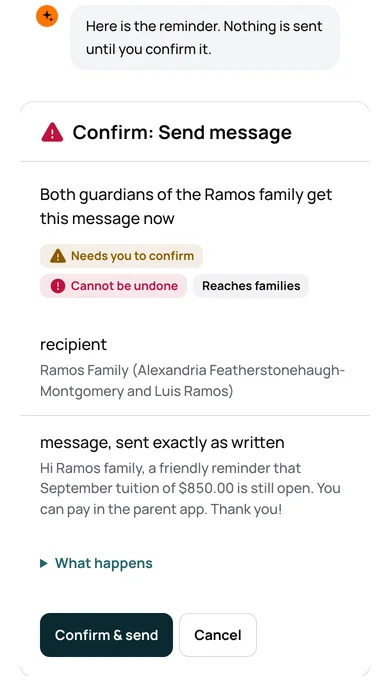
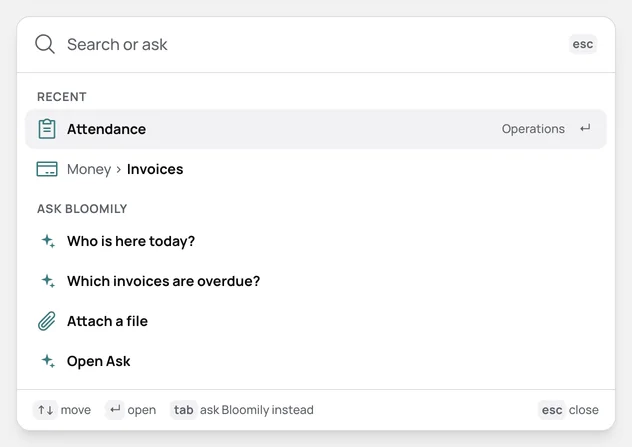
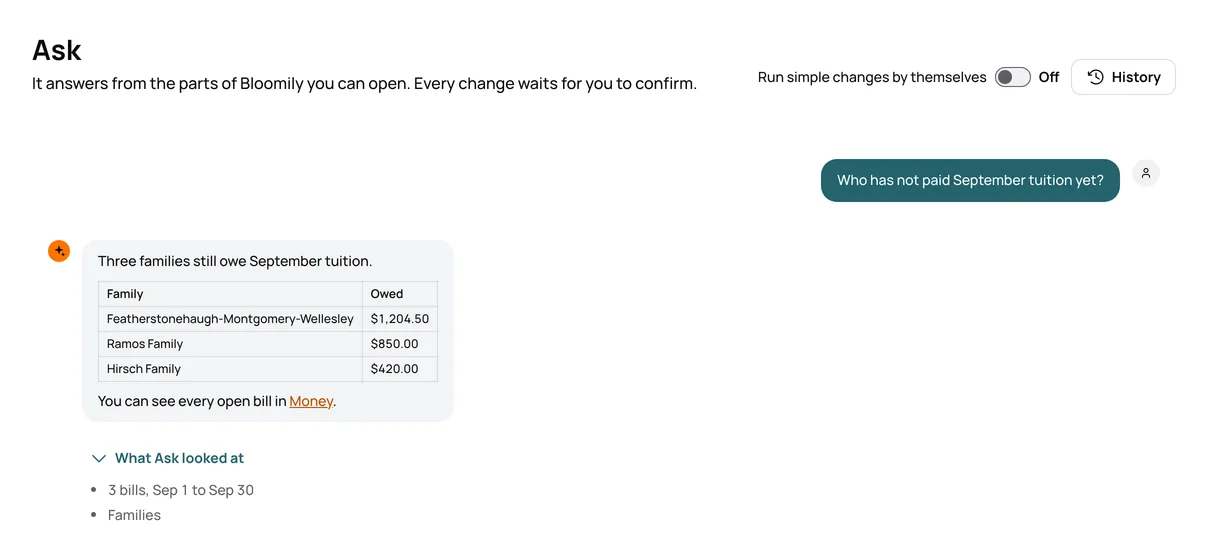
Who is here today? Which bills are late? Ask reads only what your role can open.
Ask writes the message and shows who gets it. Nothing reaches a family until you confirm.
AI help is part of Bloomily on every plan. It is not an add-on.
| The job | The manual way | In Bloomily |
|---|---|---|
| Who has not paid this month | Open billing, filter by month, and copy the names into a note | Ask who has not paid. The answer lists each family and amount. |
| Who is here right now | Count the sign-in sheets, room by room | Ask who is here today. It reads the day’s check-ins. |
| A reminder to one family | Look up the parents, then write and send the email | Ask it to remind them. Read the message, then confirm. |
| Which forms a child is missing | Open the child’s file and check each form | Ask which forms are missing for that child. |
An admin or your director turns on AI help in Settings, under Access.
Ask is in the office screens in a web browser. The phone apps do not have it.
Ask reads and changes only what each person may open in Bloomily.
You can let small changes you can undo run without a card, like marking a child absent. It starts off.
No. It writes the message and shows who gets it. Nothing goes out until you confirm.
Questions about attendance, bills, enrollment, forms and staff, like who is here today. It answers from the records your role can open.
No. AI help comes with every plan. An admin or your director turns it on in Settings.
Yes, in a phone’s web browser, on the office screens. The Bloomily phone apps do not have it.
Three things directors ask before they start, answered where you can read them.
Cancel within 60 days of your first charge, and your money comes back automatically.
How the guarantee works →AI help is built in, plus full support from our team. Turn it on in Settings, and it answers from your own records.
How AI help works →Encrypted on the way and at rest. Each program’s records are walled off. We never hold card numbers.
Trust and security →Set up in an afternoon.