Every fee on the page.
Cancel within 60 days of your first charge, and your money comes back automatically.
How the guarantee works →Bring the list you keep today, as it is. AI help does the reading. Nothing saves until you approve it.
Book a demo
A spreadsheet, another system’s export, a PDF or a photo of a paper list.
Children, families and pickup people. Nothing saves until you approve it.
When you are ready, send each family one invite. Their child is already on their account.
Families add a card when they first pay, and can save it for autopay.
It shows you what it found before anything saves. Rows it cannot read wait in your setup plan.
Keep your old system running beside Bloomily as long as you like.
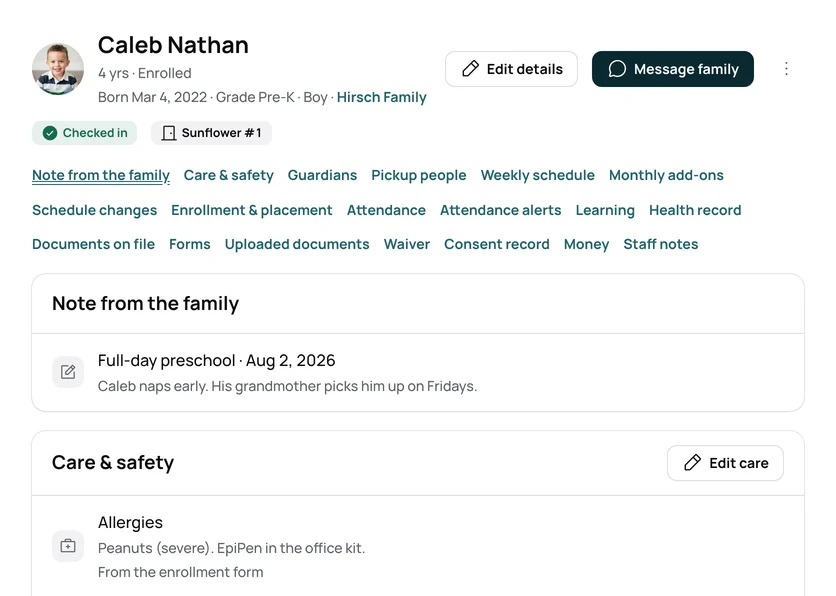
Setup asks for what your list does not hold, in your program’s own words.
Tuition bills on your charge day. Ratios update as children arrive.
See Bloomily for preschoolsYour sessions and weeks, with dates, prices and spots.
Your groups, so rosters and check-in know who belongs where.
See Bloomily for campsBefore care, after care and early-release days, on your district’s calendar.
See Bloomily for afterschool programsFamilies sign themselves up at your door.
Print your door poster, and families register on their own phones.
See Bloomily for drop-in centersSwitching from another system? Send us your file and we'll bring your families in. Want us to do the whole move? Book a demo
A spreadsheet, another system’s export, a PDF or a photo of a paper list. Bring it as it is.
No. Nothing saves until you approve it.
You send each family one invite to the Bloomily app. Their child is already on their account.
Families add a card when they first pay, and can save it for autopay.
Three things directors ask before they start, answered where you can read them.
Cancel within 60 days of your first charge, and your money comes back automatically.
How the guarantee works →AI help is built in, plus full support from our team. Turn it on in Settings, and it answers from your own records.
How AI help works →Encrypted on the way and at rest. Each program’s records are walled off. We never hold card numbers.
Trust and security →Set up in an afternoon.