Every fee on the page.
Cancel within 60 days of your first charge, and your money comes back automatically.
How the guarantee works →Parents add the people who may pick up. Each one gets their own kiosk PIN, and the record shows who took each child home.
Book a demo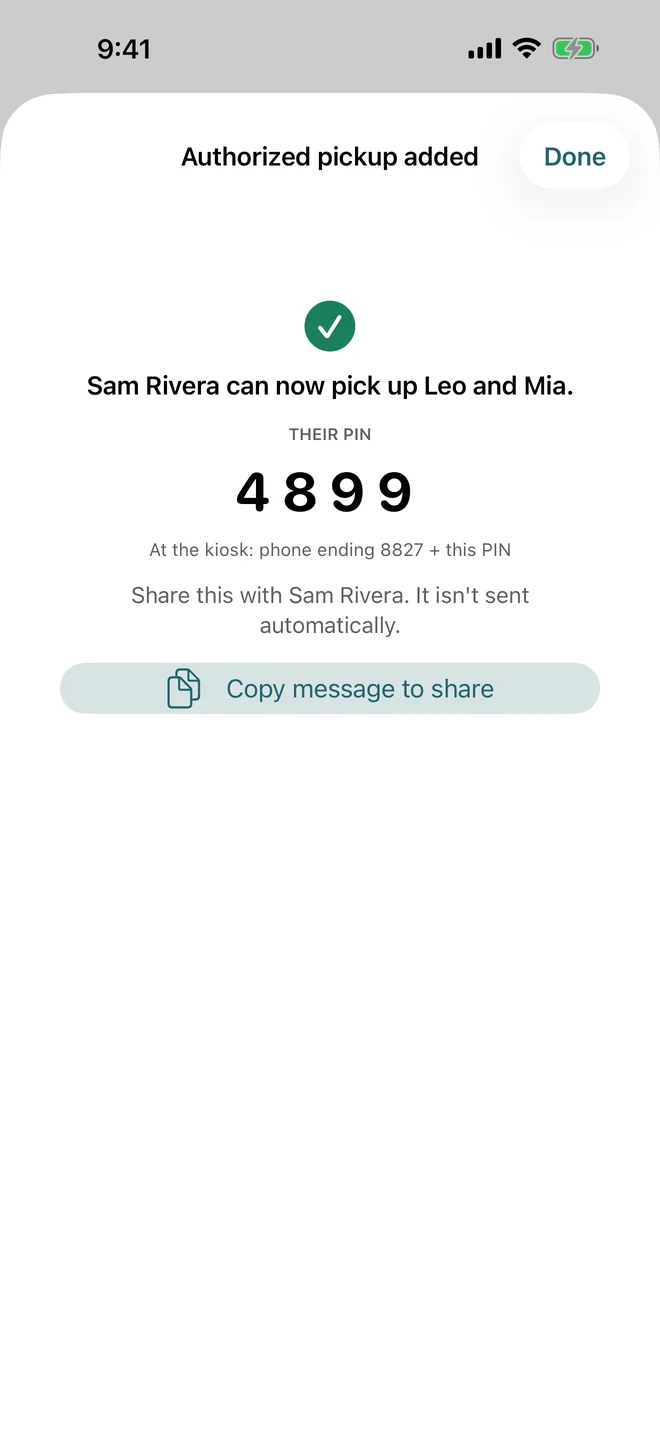
Authorized pickup software keeps the list of adults who may take each child home. In Bloomily, parents add those adults from the family app. Each adult gets their own 4-digit kiosk PIN, and every check-out records who picked up. Your office sees every name on the child’s record and can add, reset or remove anyone. It is for preschools, daycares, camps and afterschool programs. A PIN proves someone knows the code, so your staff still check faces they have not met.
In the family app, a parent adds a grandparent or friend and picks which children they may collect. Their PIN shows on screen.
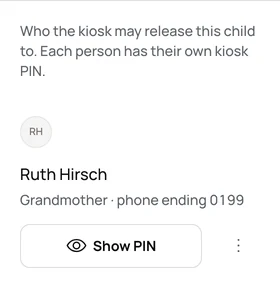
Each child’s record lists their pickup people, with how they are related. Show a PIN, reset it or remove someone.
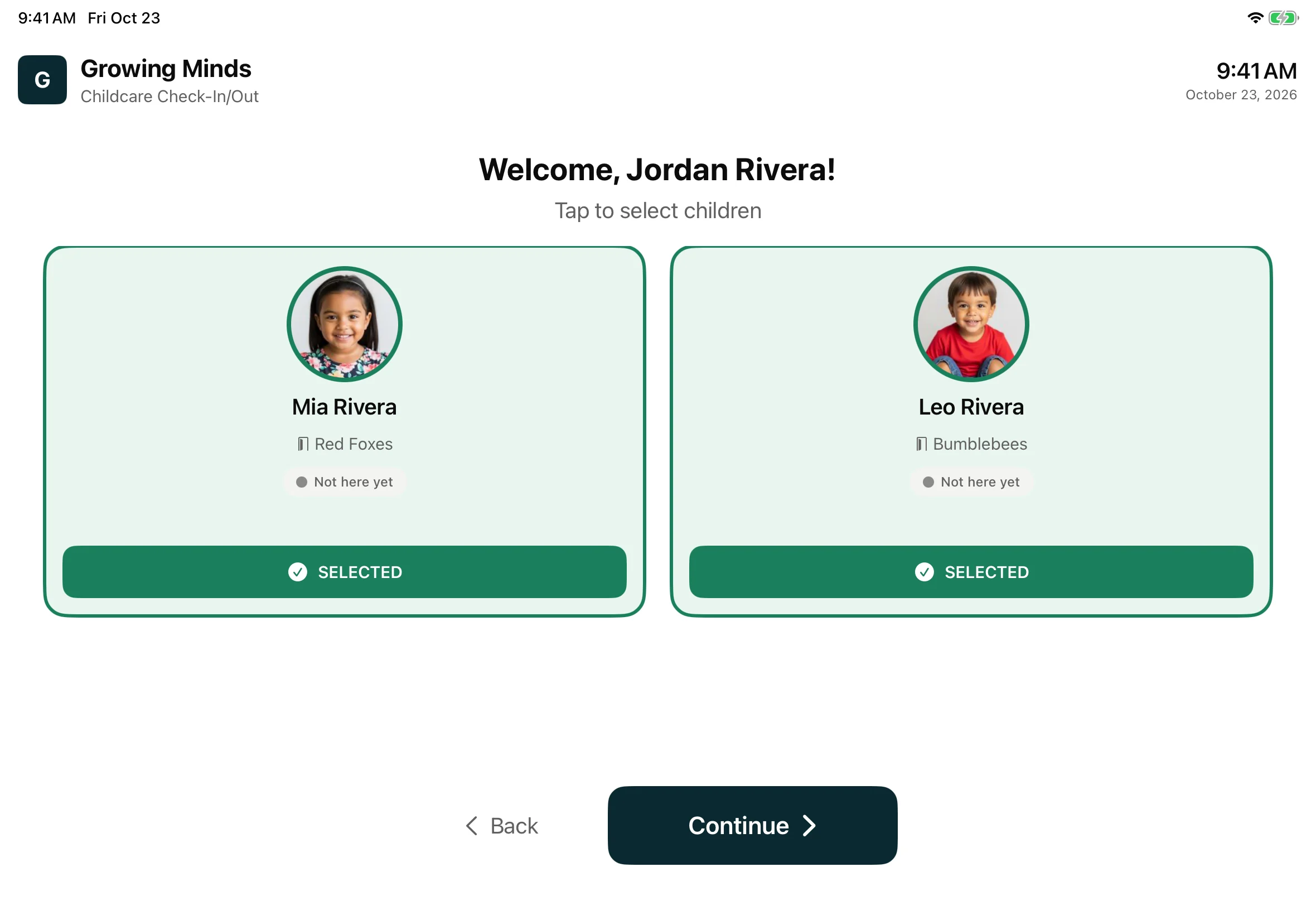
At the door, they type the last four digits of their phone, then their PIN. They choose the children and sign.
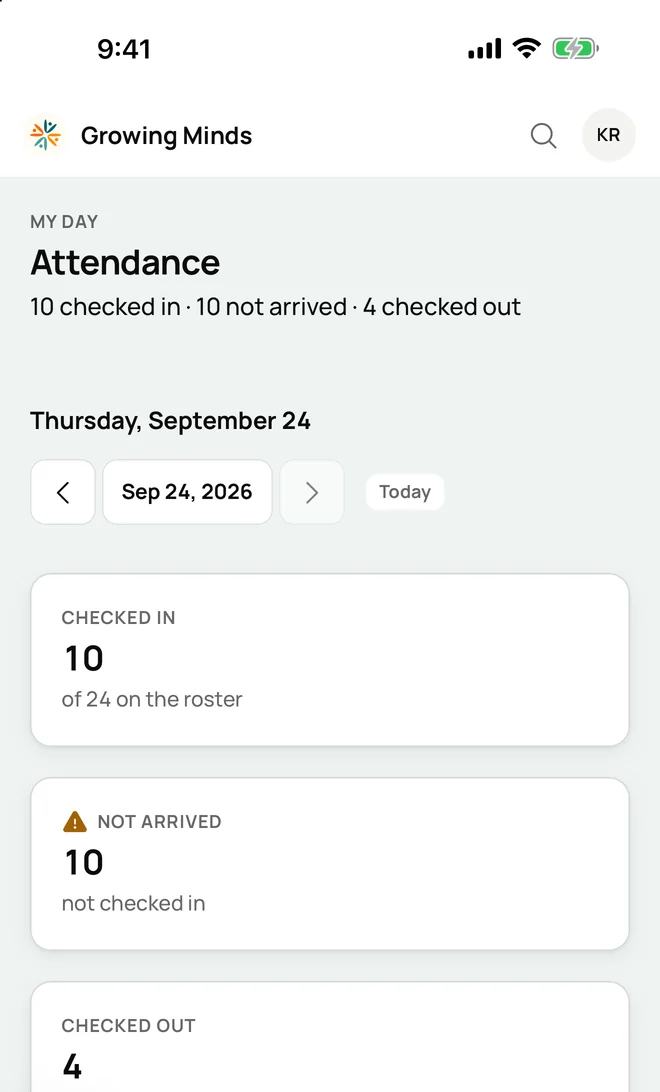
The day’s attendance shows who checked out, and each child’s record says who picked them up.
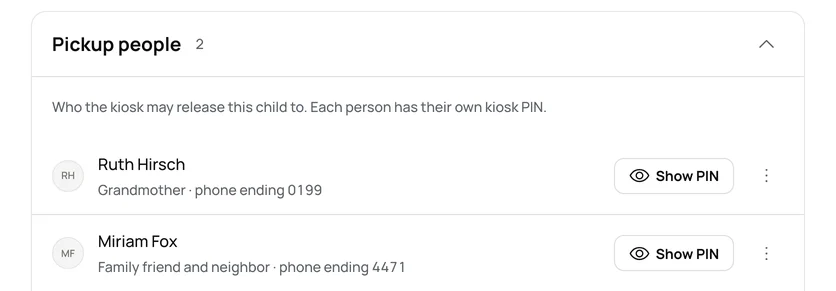
Each pickup person gets their own 4-digit PIN. Someone who collects two siblings uses one PIN for both.
A parent picks which of their children each person may collect.
Add a grandparent for one week. Their access ends on the date you set.
Staff can add a pickup person’s photo, and Bloomily Center shows it at the desk.
Every kiosk check-out carries the adult’s name, the time and their signature.
| The job | The manual way | In Bloomily |
|---|---|---|
| Keeping the list current | A card in a binder, changed when a parent remembers to call. | The parent changes the list from the family app. |
| A grandparent for one week | A note on the clipboard that nobody takes down. | An “Allowed until” date ends their access. |
| Checking at the door | Staff look for the card, or go by memory. | A personal PIN at the kiosk, and their name on the child’s record. |
| Knowing who took a child home | A name scribbled on the sign-out sheet. | Their name, the time and their signature on the record. |
| A forgotten code | One family code that everyone shares. | The office shows or resets that person’s own PIN. |
A PIN proves someone knows the code. Your staff still check a new face against the record.
The list names who may pick up. Keep court orders and their limits in your own records.
Bloomily shows the PIN to the parent who added the person. The parent passes it on.
On the Home and drop-in plans, your office adds pickup people for families.
Part of Parents in Bloomily.
See all of itYes. Each adult gets their own 4-digit PIN. Someone who picks up two siblings uses one PIN for both.
Parents add them from the family app or the web on the preschool, camp and afterschool plans. Your office can add them on every plan.
Open the child’s record and remove them from Pickup people. From then on, the kiosk will not release that child to them.
The office can show their PIN for a minute, or reset it. A reset gives one new PIN for every child they collect.
Bloomily shows the PIN to the parent who added them, and the parent passes it on.
No. A PIN shows that someone knows the code. Your staff still check a face they have never seen before.
Kiosk, PIN, signature, or a staff tap, with live ratios and late pickups flagged for you.
Enrollment forms, permission slips and waivers, filled in and signed on a phone.
Chats with families, announcements, events and a team chat for staff.
Three things directors ask before they start, answered where you can read them.
Cancel within 60 days of your first charge, and your money comes back automatically.
How the guarantee works →AI help is built in, plus full support from our team. Ask a question, and it answers from your own records.
How AI help works →Encrypted on the way and at rest. Each program’s records are walled off. We never hold card numbers.
Trust and security →Set up in an afternoon.