Every fee on the page.
Cancel within 60 days of your first charge, and your money comes back automatically.
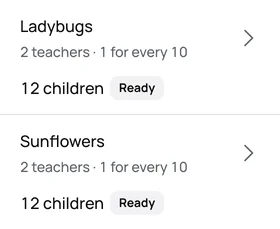
How the guarantee works →Each room shows its children, its teachers and whether it has enough. The count moves as children check in and teachers clock in.
Book a demo
Childcare ratio tracking software shows, room by room, whether there are enough teachers for the children there. In Bloomily, each room counts the children checked in and the teachers clocked in. It compares them with a reference from your state’s data and the children’s ages, or your own ratio. It is for preschools and daycares. Teachers count only once they clock in.
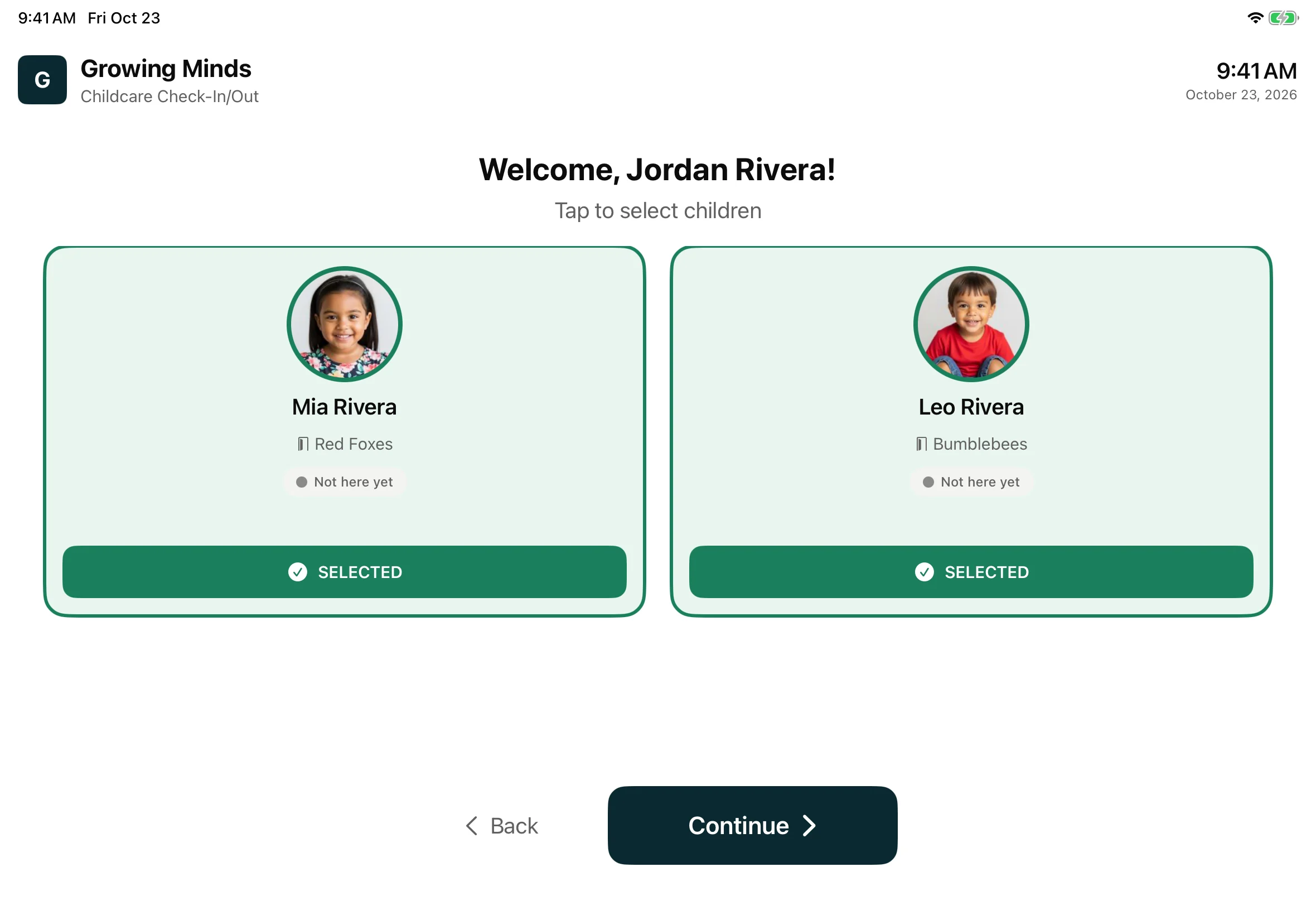
A family checks in at the kiosk, or a teacher checks the child in. The room’s count moves.
Today shows each room, its children and whether it has enough teachers.
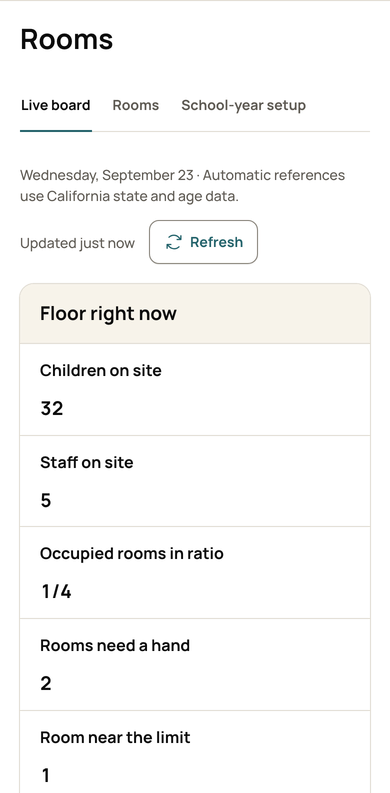
The live board counts who is on site, the rooms that need a hand and staff on break.
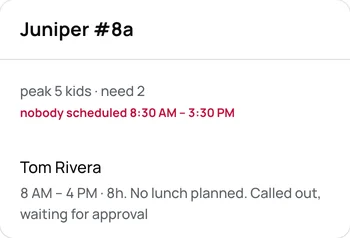
Move a teacher on the day board. The rooms count them where the day board puts them.
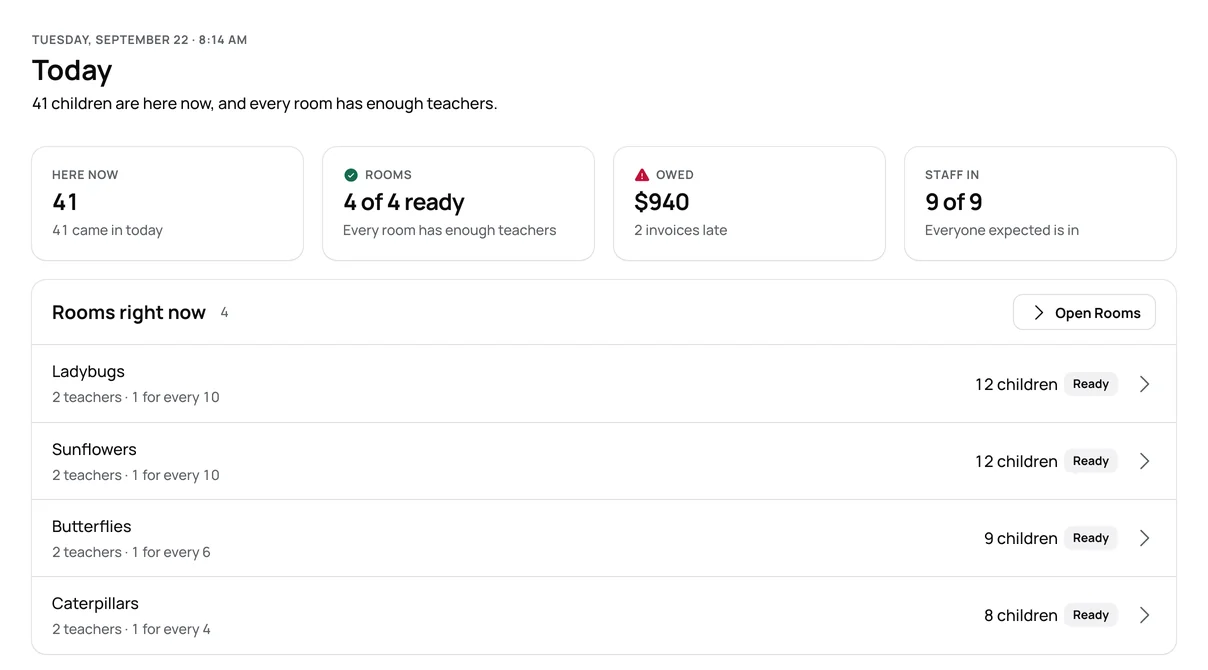
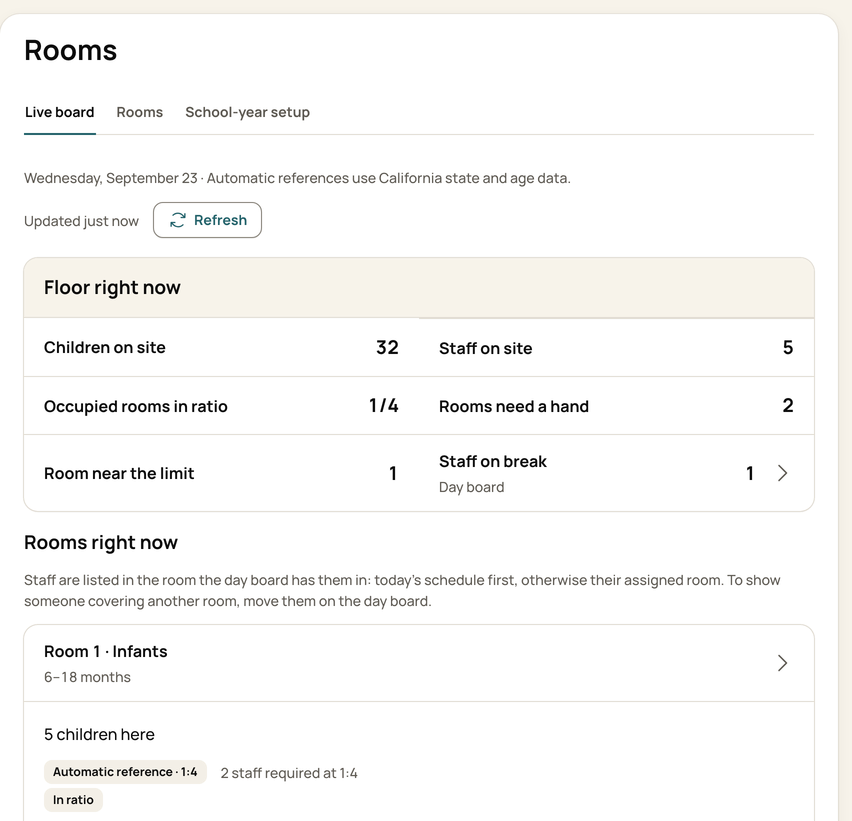
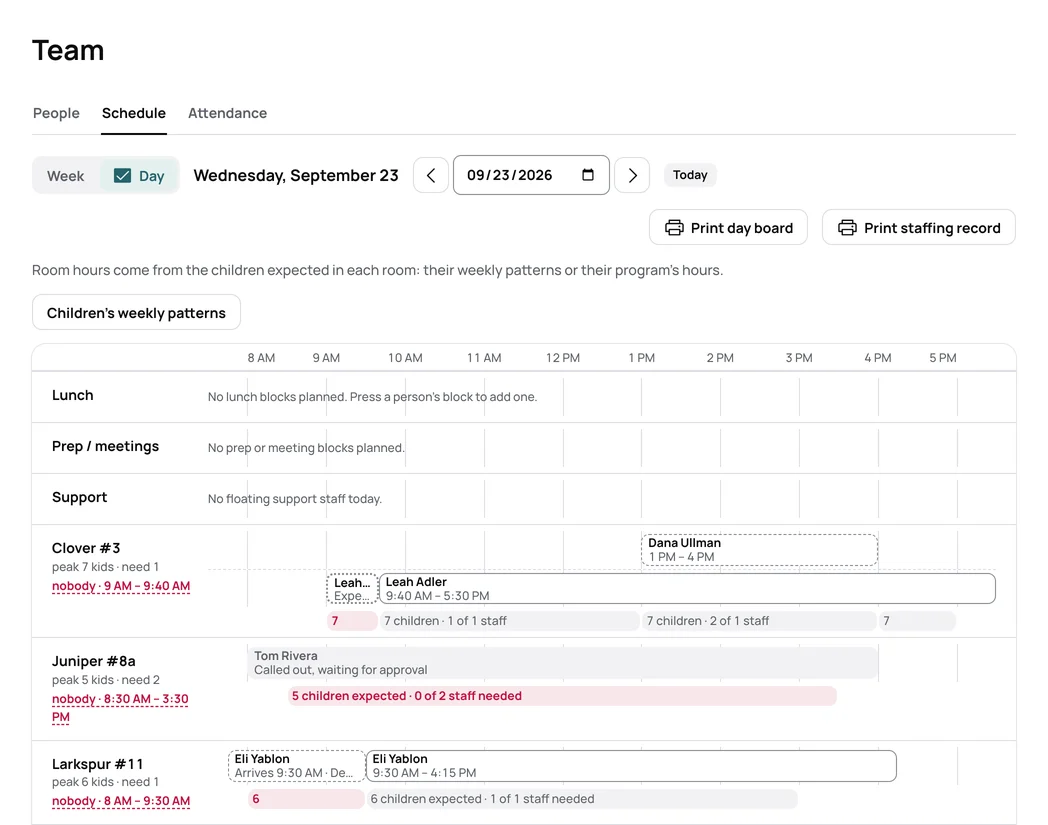
A room’s count moves as children check in and out, and as teachers clock in.
Each room gets a reference ratio from your state’s data and the children’s ages.
An administrator can set a room’s own ratio in Settings, with the reason and its source.
The live board counts rooms over their ratio, rooms near the limit and staff on break.
Move a teacher on the day board, and the rooms count them where they are.
| The job | The manual way | In Bloomily |
|---|---|---|
| Counting each room | A teacher counts heads and writes it on a clipboard. | Each room counts its check-ins as they happen. |
| Knowing the ratio | A poster on the wall, by age. | A reference from your state’s data and the children’s ages. |
| A teacher on break | Someone remembers the room is short. | The day board shows the break, and that teacher counts in no room. |
| Covering a room | A call to the office from down the hall. | The live board counts the rooms that need a hand. |
| Checking the rules | You. | Still you. Bloomily shows a reference, and your licensing rules decide. |
Teachers count once they clock in. The clock comes with Staff schedules & timesheets, in Features.
Breaks show when you plan the day on the day board.
The reference comes from state data. Check it against your own licensing rules.
Room ratios show on a preschool’s Today and its Rooms.
Part of Staff in Bloomily.
See all of itBloomily counts the children checked in to a room and the teachers clocked in there. It compares them with the room’s ratio.
No. A teacher counts once they clock in. The staff clock comes with Staff schedules & timesheets, which you turn on in Features.
Yes, when you plan the day on the day board. A teacher on break counts in no room until they come back.
Yes. The reference uses the ages of the children in the room. An administrator can also set the room’s own ratio.
A live count of who is checked in now. Teachers count in the room the day board puts them in, or their own room.
No. Your licensing agency does. Bloomily shows a reference from state data, and you check it against your rules.
The week by room, call-outs covered, and each person’s own shifts on their phone.
Kiosk, PIN, signature, or a staff tap, with live ratios and late pickups flagged for you.
Thirty reports across attendance, money, enrollment, health, staff, and programs.
Three things directors ask before they start, answered where you can read them.
Cancel within 60 days of your first charge, and your money comes back automatically.
How the guarantee works →AI help is built in, plus full support from our team. Turn it on in Settings, and it answers from your own records.
How AI help works →Encrypted on the way and at rest. Each program’s records are walled off. We never hold card numbers.
Trust and security →Set up in an afternoon.