Every fee on the page.
Cancel within 60 days of your first charge, and your money comes back automatically.
How the guarantee works →Families pick a program on your page and fill in the application on their phone. You approve each place.





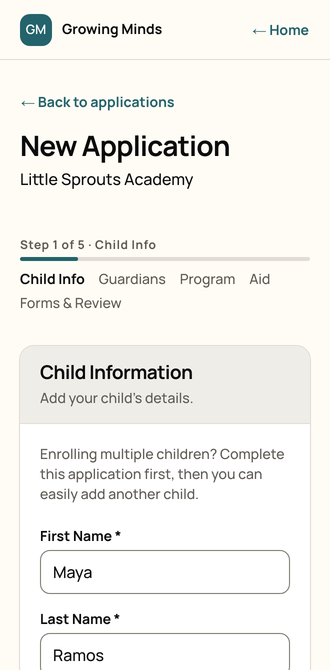
Childcare online enrollment lets families apply for a place without a paper packet. In Bloomily, families pick a program on your page. Then they fill in the application on their phone: the child, the guardians, the program and your forms. Applications that need your yes wait in Enrollment. It is for preschools, daycares and afterschool programs. Families make an account to apply.
After picking a program on your page, a family fills in the child’s details on their phone.
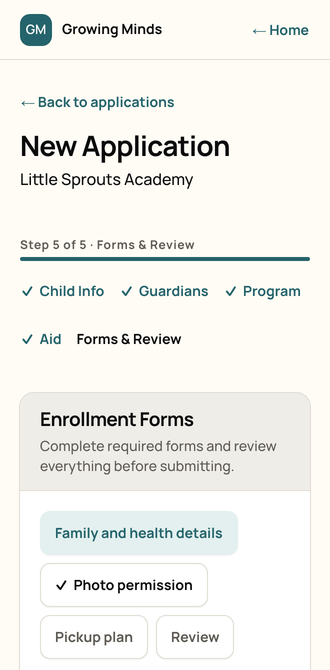
Families fill in and sign your forms, then review everything before they send it.
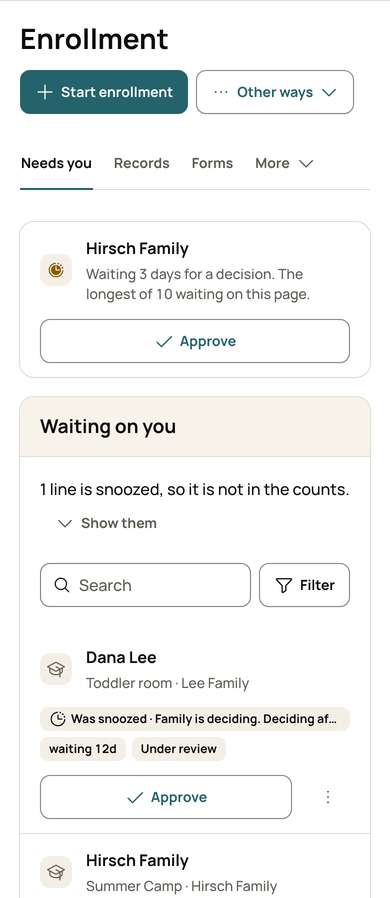
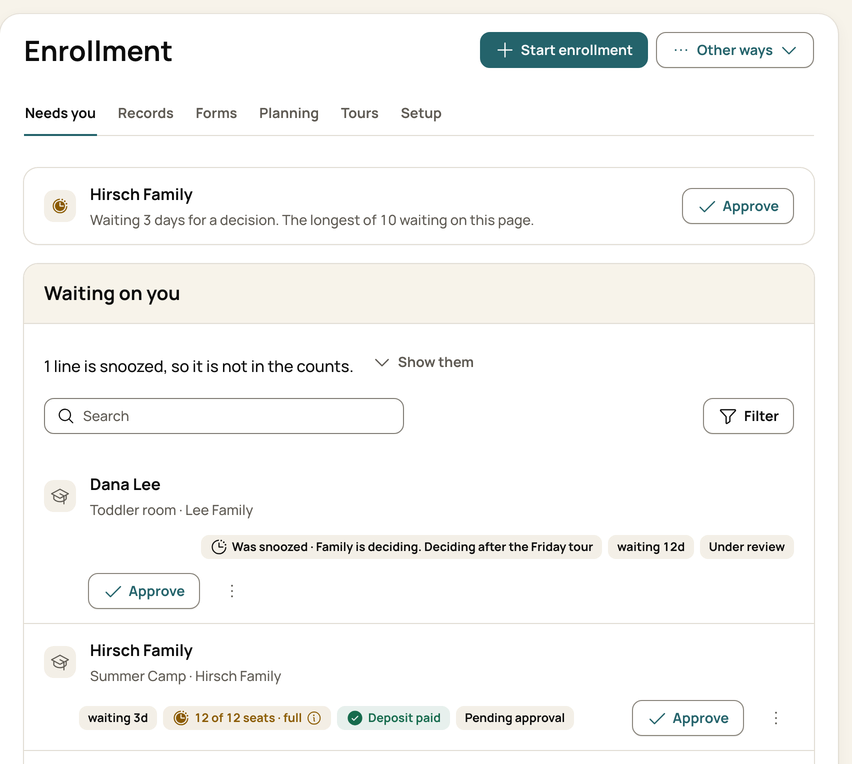
Applications wait in Enrollment, with how long each has waited. Approve each one from the list.
Families start on your enrollment page or website, and pick a program and its days.
The child, the guardians, the program, any aid and your forms, in five steps.
Families fill in and sign your forms before they send the application.
A family with a child already enrolled starts from the sibling form. It skips the guardians.
Applications that need your yes wait in Enrollment, with how long each has waited.
| The job | The manual way | In Bloomily |
|---|---|---|
| Getting the packet | Printed, emailed or picked up at the front desk. | Families start from your page, on any phone. |
| Filling it in | By hand, then typed in again by the office. | Families type it once, and it lands on the child’s record. |
| Signatures | Signed on paper, then scanned. | Signed in the application. |
| Siblings | The same guardian details, written again. | The sibling form skips them. |
| Deciding | A pile of folders on your desk. | One list in Enrollment, longest wait first. |
Families make a Bloomily account before they fill in the application.
Who gets a place, and when, is your decision.
Drop-in families register at the door instead, from your walk-up page.
Part of Enrollment in Bloomily.
See all of itYes. Families start on your page and fill in the application in their phone’s browser.
Yes. Add your forms to the application. Families fill them in and sign before they send it.
Yes. A family with a child already enrolled starts from the sibling form. It skips the guardian details.
An application that needs your yes waits in Enrollment, under Needs you. You approve it there.
Families can join its waiting list instead.
Yes. AI help reads your spreadsheet and finds children and families. Nothing saves until you approve it.
Tour to first day in one pipeline. Forms, offers, deposits, and waitlists that promote.
Enrollment forms, permission slips and waivers, filled in and signed on a phone.
Pages, programs, and tour booking. Published from the system that runs your day.
Three things directors ask before they start, answered where you can read them.
Cancel within 60 days of your first charge, and your money comes back automatically.
How the guarantee works →AI help is built in, plus full support from our team. Turn it on in Settings, and it answers from your own records.
How AI help works →Encrypted on the way and at rest. Each program’s records are walled off. We never hold card numbers.
Trust and security →Set up in an afternoon.