

Childcare Attendance Tracking: Methods & Best Practices

Accurate attendance tracking is one of the most critical operations in childcare. It's not just about knowing who's there—it's about child safety, regulatory compliance, accurate billing, and efficient operations.
Yet many centers still rely on paper sign-in sheets, leading to incomplete records, illegible signatures, and compliance headaches during licensing inspections.
This guide covers everything you need to know about attendance tracking: methods, legal requirements, best practices, and how to choose the right system for your center.
For a practical device and recovery test before opening an arrival station, use the childcare check-in kiosk setup checklist.
Why Attendance Tracking Matters

1. Child Safety
In an emergency—fire, severe weather, or lockdown—you need to know exactly who is in your building within seconds. Paper logs scattered across classrooms don't provide that.
Real scenario: During a fire drill, you need to:
- Know which children are present across all classrooms
- Verify all children are accounted for at evacuation point
- Identify any discrepancies immediately
Digital attendance provides this instantly. Paper logs require gathering clipboards from every room and manually counting.
2. Regulatory Compliance
Every state requires childcare centers to maintain accurate attendance records. During licensing inspections, you must produce:
- Historical attendance records (often for the past year)
- Sign-in/sign-out times with parent signatures
- Records of who picked up each child
- Documentation of pickup authorization
Consequences of poor records:
- Citations and fines
- Required corrective action plans
- Potential license suspension
- Insurance complications
3. Accurate Billing
Attendance directly impacts billing accuracy:
- Drop-in charges based on actual attendance
- Late pickup fees calculated from check-out time
- Part-time vs. full-time billing verification
- Subsidy reporting requirements
Inaccurate attendance creates billing disputes, revenue loss, and administrative headaches.
4. Operational Efficiency
Real-time attendance data helps you:
- Manage staff-to-child ratios throughout the day
- Plan for meals and supplies
- Identify no-shows and follow up with families
- Understand utilization patterns for planning
Attendance Tracking Methods Compared

Manual Paper Sign-In Sheets
How it works: Parents sign a physical sheet at drop-off and pickup. Staff maintain the clipboard throughout the day.
| Pros | Cons |
|---|---|
| No technology required | Illegible signatures |
| Zero cost | Incomplete entries |
| Parents familiar with it | Hard to retrieve historical data |
| Lost or damaged sheets | |
| No real-time visibility | |
| Compliance risk during inspections | |
| Staff time managing clipboards |
Verdict: Acceptable for licensing minimum but creates significant operational burden and risk.
PIN Entry Systems
How it works: Parents enter a unique PIN on a tablet or keypad to check in/out.
| Pros | Cons |
|---|---|
| Digital record keeping | PINs can be shared |
| Accurate timestamps | Parents forget PINs |
| No paper management | Keypad queues at busy times |
| Works in any weather | Limited identity verification |
Verdict: Better than paper, but lacks the security of other digital methods.
QR Code Scanning
How it works: Each family has a unique QR code (on phone or printed card) that's scanned at a kiosk.
| Pros | Cons |
|---|---|
| Fast and contactless | Requires working camera |
| Accurate timestamps | QR codes can be shared |
| Works on any smartphone | Screen brightness issues |
| Easy for parents | Printer needed for cards |
Verdict: Good balance of convenience and accuracy. Popular choice for modern centers.
NFC Tap-to-Check-In
How it works: Parents tap their smartphone (or NFC card/tag) to an NFC-enabled device. Check-in happens in less than 1 second.
| Pros | Cons |
|---|---|
| Fastest method (under 1 second) | Requires NFC-enabled kiosk |
| Impossible to fake | Parent needs NFC on phone |
| Works in any lighting | Newer technology |
| Most secure option | |
| Seamless for parents |
Verdict: The gold standard for check-in. Fastest, most secure, and best parent experience.
"We switched to NFC check-in and parents love it. They just tap their phone as they walk in—no fumbling with apps or QR codes. It's genuinely faster than the old paper sign-in."
— Director, Irvine Preschool Academy
Biometric Systems
How it works: Fingerprint or facial recognition identifies parents.
| Pros | Cons |
|---|---|
| Cannot be shared | Privacy concerns |
| Highly accurate | Higher cost |
| No cards or phones needed | Hygiene concerns (fingerprint) |
| Some parents uncomfortable | |
| Technical failures |
Verdict: Secure but may create friction with privacy-conscious families.
Geofencing
How it works: App detects when parent's phone enters/exits your location perimeter and prompts check-in.
| Pros | Cons |
|---|---|
| Automatic prompts | Requires phone location access |
| Hard to forget | Battery drain concerns |
| Useful for reminders | Privacy sensitivity |
Verdict: Best as supplement to other methods, not primary check-in.
State Attendance Requirements
While specific requirements vary by state, most require:
Universal Requirements
- Daily attendance records showing each child's presence
- Sign-in and sign-out times for each attendance
- Parent/guardian signature or electronic equivalent
- Authorized pickup documentation on file
- Record retention (typically 3-5 years)
Common Specific Requirements
| Requirement | Typical Standard |
|---|---|
| Signature frequency | Each drop-off and pickup |
| Time recording | Actual time, not scheduled |
| Record retention | 3-5 years depending on state |
| Emergency access | Immediate availability |
| Backup requirements | Paper backup if electronic |
Electronic Signature Compliance
Most states now accept electronic check-in as equivalent to physical signatures, provided:
- The system captures unique identifier (PIN, QR, NFC, biometric)
- Timestamps are accurate and tamper-proof
- Records can be produced for inspection
- The system meets state-specific technical requirements
Always check your state's specific regulations or consult with your licensor.
Pickup Authorization Best Practices
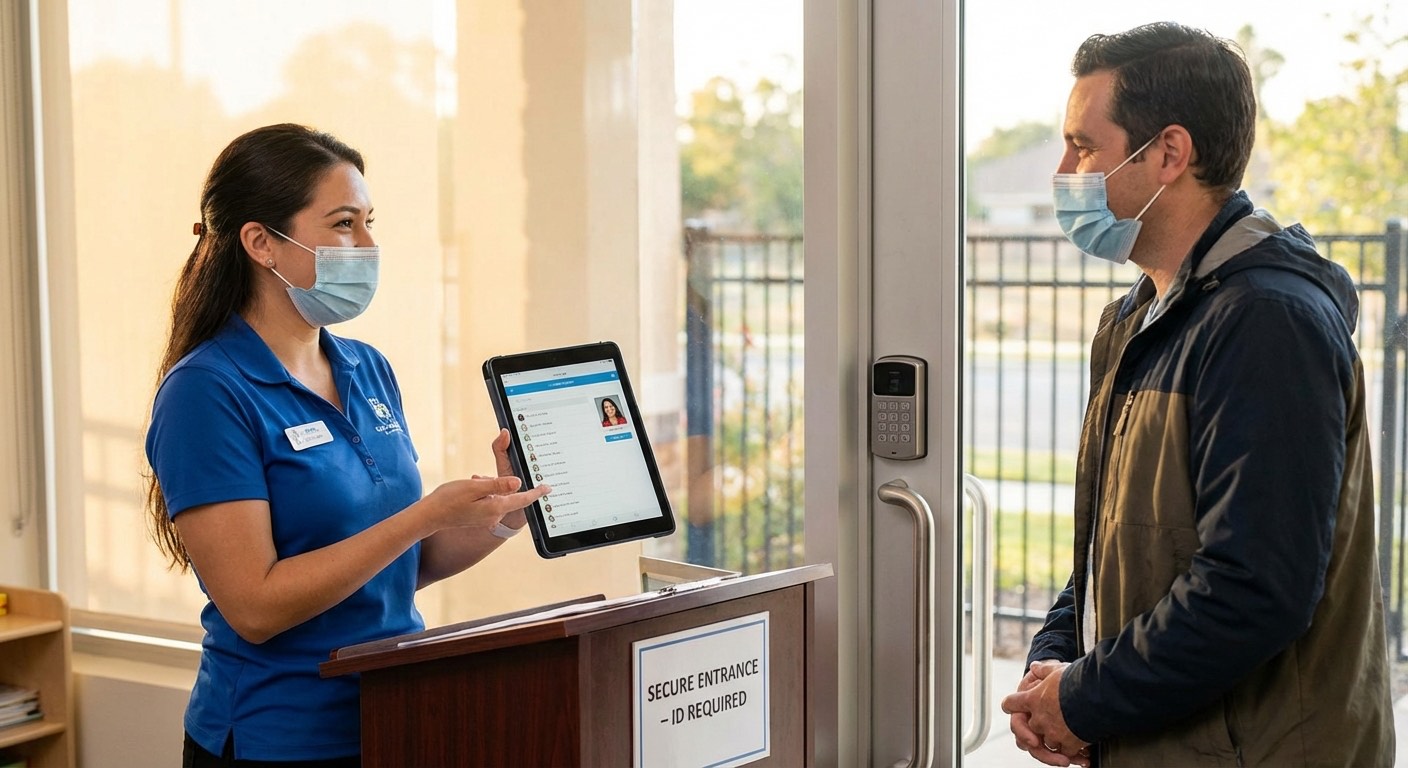
Pickup authorization is a critical safety issue. Children should only be released to authorized individuals.
Setting Up Authorization
During enrollment, collect:
- Authorized pickup list with names and relationships
- Photo ID for each authorized person
- Emergency contacts who can be added to pickup list
- Restricted persons (custody orders, restraining orders)
Daily Pickup Verification
Best practice workflow:
- Authorized person arrives at pickup
- Staff verifies identity (recognize or check ID)
- Check-out recorded in system
- Child released
For unfamiliar authorized persons:
- Verify ID matches authorization list
- Cross-reference with parent-provided photo if available
- Contact primary guardian if any doubt
- Never release without verification
Handling Unauthorized Pickup Attempts
If someone not on the list attempts pickup:
- Do NOT release the child
- Explain: "I need to contact [parent name] to verify authorization"
- Contact parent immediately
- Document the incident
- If person becomes aggressive, contact authorities
Custody Situations
For families with custody orders:
- Keep court documents on file
- Train all staff on specific restrictions
- Document any incidents involving restricted persons
- Notify authorities if restricted person attempts pickup
Managing Late Pickups

Late pickups strain staff and operations. Clear policies and good tracking help manage them.
Establishing a Late Pickup Policy
Your policy should include:
- Closing time: Clear, no ambiguity
- Grace period: Most centers allow 5-10 minutes
- Fee structure: Per-minute fees after grace period
- Payment timing: When fees are charged (immediately vs. invoice)
- Repeated late pickup consequences: Warning → fee increase → potential termination
Sample policy language:
"Our center closes at 6:00 PM. Children picked up after 6:05 PM will incur a late fee of $1.00 per minute. Fees are charged to your account automatically. Three late pickups in a 30-day period may result in additional action, including potential termination of enrollment."
Tracking Late Pickups
Accurate attendance systems automatically:
- Record actual checkout times
- Calculate late fees based on policy
- Generate late pickup reports
- Alert staff to chronic late families
Addressing Chronic Lateness
For repeat offenders:
First conversation:
"I noticed this is the third late pickup this month. Is everything okay? We want to help if there's a scheduling issue, but our staff has commitments after work that we need to respect."
If it continues:
- Enforce escalating fees
- Require meeting with director
- Consider enrollment termination
- Document everything
Implementing Digital Attendance

Choosing a System
Consider these factors:
| Factor | Questions to Ask |
|---|---|
| Check-in methods | Does it support the methods you want (NFC, QR, PIN)? |
| Real-time visibility | Can you see attendance across classrooms instantly? |
| Reporting | Can you generate compliance reports easily? |
| Integration | Does it connect to your billing and parent communication? |
| Mobile access | Can staff and parents use it on any device? |
| Offline capability | Does it work if internet goes down? |
| Support | What training and support is included? |
Implementation Checklist
Before launch:
- Configure all family accounts
- Set up authorized pickup lists
- Train all staff on system
- Set up kiosk hardware (if applicable)
- Configure late pickup policy settings
- Test with staff before parent launch
Parent communication:
- Announce new system with benefits for parents
- Provide written instructions
- Offer "practice" period
- Staff available to help during transition
Launch week:
- Have backup paper available
- Extra staff at entry points
- Troubleshoot issues immediately
- Collect feedback and iterate
Training Staff
Staff training should cover:
- Daily procedures: Opening check-in, managing kiosk, closing procedures
- Verification: When and how to verify identity
- Troubleshooting: What to do when technology fails
- Exceptions: How to handle unusual situations
- Compliance: Understanding legal requirements
Attendance Reporting
Your system should generate these reports:
Daily Reports
- Who arrived and departed
- Late arrivals and early departures
- No-shows (enrolled but didn't attend)
- Late pickups
Weekly/Monthly Reports
- Attendance patterns by day of week
- Average daily attendance
- Utilization rates by classroom
- Late pickup trends
Compliance Reports
- Audit-ready historical records
- Signature verification logs
- Pickup authorization records
- Incident documentation
Emergency Procedures and Attendance
During emergencies, attendance data is life-critical.
Fire Drills and Evacuations
Your system should enable:
- Instant headcount: One tap to see all present children
- Classroom-level detail: Which children in which rooms
- Offline access: Works even if Wi-Fi is down
- Printable roster: Emergency paper backup
Best practice: Print daily attendance roster each morning and keep at evacuation point.
Lockdowns
During lockdown situations:
- Real-time attendance shows who's on-site
- Helps account for all children across classrooms
- Provides information for first responders
- Documents incident timeline
Natural Disasters
Your attendance records support:
- Parent reunification
- Insurance claims
- Regulatory reporting
- Post-incident documentation
The ROI of Digital Attendance
Time Savings
| Task | Paper Method | Digital Method |
|---|---|---|
| Daily check-in process | 3-5 min per family | Under 30 seconds |
| Generating reports | 30+ minutes | 1 click |
| Compliance preparation | Hours | Minutes |
| Late fee calculation | Manual | Automatic |
Error Reduction
- Eliminates illegible signatures
- Prevents forgotten sign-outs
- Reduces billing disputes
- Automates ratio calculations
Compliance Confidence
- Always inspection-ready
- Complete historical records
- Automated documentation
- Audit trail for all changes
Conclusion
Attendance tracking has evolved far beyond paper sign-in sheets. Modern digital systems—especially NFC tap-to-check-in—provide security, convenience, and compliance in one solution.
The investment in proper attendance systems pays for itself through:
- Reduced administrative time
- Better compliance confidence
- Accurate billing
- Improved safety posture
- Better parent experience
Start by evaluating your current system against the methods described above. If you're still on paper, the switch to digital will transform your daily operations.
Ready to modernize your attendance tracking? Bloomily offers NFC tap-to-check-in, QR code scanning, and real-time attendance visibility in one system. See how it works or get started.
Frequently Asked Questions
What's the fastest check-in method?
NFC tap-to-check-in is fastest—under 1 second. QR code scanning takes 2-3 seconds. PIN entry typically takes 3-5 seconds. Paper sign-in takes 15-30 seconds.
Do I need to keep paper backups if I use digital attendance?
Check your state regulations. Many states accept digital records as primary documentation. However, having a daily printed roster as emergency backup is a best practice regardless of requirements.
What if parents don't have smartphones?
Offer alternatives: printed QR code cards, PIN codes, or staff-assisted check-in. Most digital systems support multiple methods for flexibility.
How long must I retain attendance records?
Most states require 3-5 years, but requirements vary. Some require records until the child reaches a certain age. Always check your state's specific requirements and consider keeping records longer than required for legal protection.
What's the difference between attendance and head counts?
Attendance tracks arrivals and departures (who came and went and when). Head counts verify who is currently present at a specific moment. Both are important—attendance for compliance, head counts for safety throughout the day.